
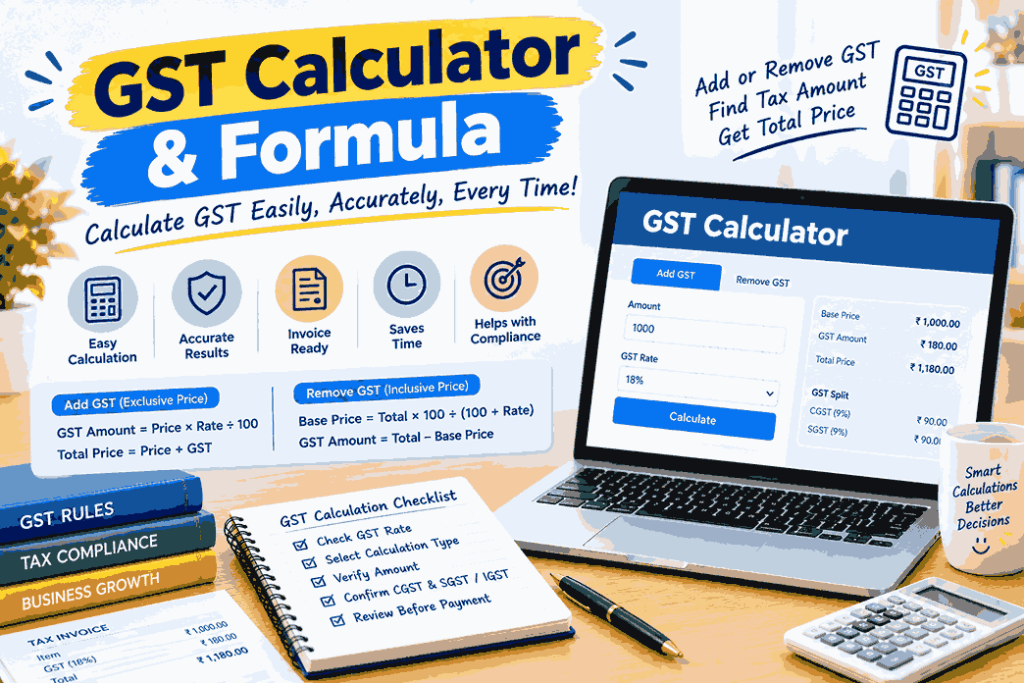
Introduction
Every invoice, quotation, and shop bill in India involves GST, and working it out by hand takes time and invites mistakes. A GST calculator removes that effort. You enter an amount and a tax rate, and it instantly shows the tax and the final price.
Still, the most reliable users are the ones who understand the maths behind the tool. This guide explains what a GST calculator is, how to use one, the formulas for adding and subtracting taxes, how to use an online GST calculator, and how to avoid making mistakes.
What Is a GST Calculator?
A GST calculator is a simple tool that computes the Goods and Services Tax on a price. Depending on what you enter, it can tell you:
- The GST amount
- The total price including GST
- The base price before GST
- The division of CGST and SGST (also known as IGST)
Business owners, accountants, freelancers, shopkeepers, and customers all use it to check invoices and price products correctly.
Why Use a GST Calculator?
- Saves time: Calculations that take minutes by hand take seconds.
- Reduces errors: Manual maths often goes wrong, especially when removing tax from an inclusive price.
- Supports accurate invoicing: Correct figures mean cleaner records and fewer return mismatches.
- Helps with pricing: You can see how tax affects your selling price and margin.
- Beneficial for customers, buyers can verify the accuracy of a bill’s tax charge.
Understanding GST Calculation Basics
Make sure you know what kind of price you have before using any tool.
- GST-exclusive price: The tax is not yet included. GST is added on top.
- GST-inclusive price: The tax is already inside the price. You need to separate the base price and the tax.
| Type | Price Shown | What You Calculate |
| Exclusive | Before tax | Add GST to get the total |
| Inclusive | After tax | Remove GST to get the base price |
Choosing the wrong option is the most common cause of wrong results, so check this first.
GST Formula
Adding GST (Exclusive Price)
- GST Amount = Original Price × GST Rate ÷ 100
- Total Price = Original Price + GST Amount
Removing GST (Inclusive Price)
- Base Price = Total Price × 100 ÷ (100 + GST Rate)
- GST Amount = Total Price − Base Price
A common error is subtracting the rate percentage directly from the total. That gives a wrong answer, because the tax was charged on the base price, not on the final price.
GST Calculation Examples
The rates listed below serve as illustrations of the method. Always apply the rate that applies to your product or service.
Example 1: Adding 18% GST
A professional service is quoted at ₹20,000 excluding GST.
- GST Amount = 20,000 × 18 ÷ 100 = ₹3,600
- Total Price = 20,000 + 3,600 = ₹23,600
Example 2: Adding 5% GST
A box of dates is priced at ₹2,000 excluding GST.
- GST Amount = 2,000 × 5 ÷ 100 = ₹100
- Total Price = 2,000 + 100 = ₹2,100
Example 3: Removing 18% GST
A bill shows ₹11,800 including 18% GST.
- Base Price = 11,800 × 100 ÷ 118 = ₹10,000
- GST Amount = 11,800 − 10,000 = ₹1,800
Example 4: Removing 5% GST
A total of ₹1,050 includes 5% GST.
- Base Price = 1,050 × 100 ÷ 105 = ₹1,000
- GST Amount = 1,050 − 1,000 = ₹50
How to Calculate GST Online
When you calculate GST online, the process is usually quick:
- Enter the amount. Type the price of the goods or service.
- Choose the GST rate. Select the applicable percentage from the list or type it in.
- Select the calculation type. Pick “Add GST” for an exclusive price or “Remove GST” for an inclusive price.
- Read the result. The tool shows the GST amount, base price, and final price.
- Check the split. CGST and SGST (or IGST) are often displayed separately on calculators.
Before relying on the result, always check the rate and the type of calculation twice.
CGST, SGST, and IGST in Your Calculation
The total GST is divided differently depending on where the supply takes place.
| Situation | Tax Charged | How It Splits |
| Sale within the same state | CGST + SGST | Total GST divided equally |
| Sale to another state | IGST | Total GST charged as one tax |
| Sale within a Union Territory without a legislature | CGST + UTGST | Total GST divided equally |
Example: On an 18% supply within one state, you charge 9% CGST and 9% SGST. For a supply to another state, you charge 18% IGST.
Key Features of a Good GST Calculator
Look for these qualities when choosing a tool:
- Simple, clean layout
- Both add and remove GST options
- Flexible rate selection, including custom rates
- CGST, SGST, and IGST breakdown
- Accurate results with proper rounding
- Works well on mobile devices
- No unnecessary data collection
Who Can Use a GST Calculator?
- Business owners: To price products and prepare quotations
- Accountants: To verify invoices and returns
- Freelancers: To add the correct tax to service fees
- Shopkeepers: To check supplier bills and customer invoices
- Students: To practise and learn GST calculation
- Customers: To confirm the tax shown on a purchase
Calculating GST on Multiple Items
For an invoice with several products, calculate GST on each line, then add the totals.
| Item | Price (Excl. GST) | Rate | GST | Total |
| Item A | ₹4,000 | 18% | ₹720 | ₹4,720 |
| Item B | ₹1,000 | 5% | ₹50 | ₹1,050 |
| Invoice Total | ₹5,000 | ₹770 | ₹5,770 |
Line-by-line calculation keeps records clear and makes return filing easier.
Common Mistakes in GST Calculation
- Using an exclusive formula on an inclusive price, or the other way round
- Using an incorrect GST rate on a product or service
- Subtracting the percentage instead of using the division method
- Rounding off too early in the calculation
- Forgetting to calculate tax after trade discounts where applicable
- Using outdated rates after a government notification
- Mixing up IGST with CGST and SGST
Tips for Accurate GST Calculation
- Confirm the current rate on official government sources before invoicing.
- Mark every price clearly as “inclusive” or “exclusive.”
- Verify any manual work with a calculator.
- Keep organised records of invoices and calculations.
- Round only at the final step, following the applicable rules.
- Review your figures before filing returns.
- Be honest and transparent in every calculation. Accurate figures protect both you and your customers.
Limitations of a GST Calculator
A calculator is a helpful aid, but it has limits:
- It does not decide which rate applies to your product. You must know that.
- It does not account for exemptions or special schemes on its own.
- It cannot replace professional advice for complex cases.
- Results depend entirely on the inputs you provide.
Frequently Asked Questions (FAQs)
1. What is a GST calculator?
It is a tool that works out GST on a price, showing the tax amount and the total or base price.
2. How is GST calculated?
Multiply the price by the GST rate and divide by 100. Add the result to the price to get the total.
3. How do I calculate GST from a GST-inclusive price?
Divide the total by (100 + rate) and multiply by 100 to get the base price. The difference is the GST.
4. Can I calculate GST online?
Yes. Enter the amount, choose the rate, select add or remove GST, and the tool shows the result.
5. Is an online GST calculator accurate?
It is accurate if you enter the correct amount, rate, and calculation type. Always verify the rate from official sources.
6. What is the difference between CGST, SGST, and IGST?
CGST and SGST apply to supplies within a state, while IGST applies to supplies between states.
7. Does a GST calculator work for services too?
Yes. The calculation is the same for goods and services.
Conclusion
A GST calculator makes tax calculation fast, accurate, and stress-free, but it works best in the hands of someone who understands the method behind it. Know whether your price is exclusive or inclusive, apply the right GST formula, and confirm the correct rate before you begin. When you calculate GST online, double-check your inputs and keep a record of every invoice.
With these basics, GST calculation becomes routine, and your pricing, invoicing, and records stay accurate. Rates and rules change from time to time, so always verify current details on the official GST portal.
Disclaimer: This article is for general information only and is not legal or tax advice. Rates used in the examples are illustrative. Please consult official sources or a qualified professional for your specific situation.