
Introduction
The GST Portal is the official online platform developed by the Government of India for managing Goods and Services Tax (GST) services. Whether you are a business owner, accountant, tax consultant, or registered taxpayer, the GST Portal allows you to complete almost every GST-related task online.
From filing GST returns and checking your registration status to downloading certificates and updating business information, everything can be managed through the GST Portal after logging into your account.
Many users search online for “GST Portal Login” because they want to access their dashboard, file returns, update registration details, or retrieve their login credentials. If you’re logging in for the first time or facing login issues, this guide explains the complete process in simple language.
This article covers everything you need to know about GST Portal Login, including login steps, first-time login, password recovery, common issues, security tips, and frequently asked questions.
What is the GST Portal?
The GST Portal is the official online platform for GST-related services in India.
Registered taxpayers can use it to:
- File GST returns
- Apply for GST registration
- Download GST registration certificates
- Check application status
- Update business details
- Track notices
- Make GST payments
- Verify GSTINs
- Respond to GST notices
The portal provides a centralized system for managing GST compliance electronically.
Who Can Use the GST Portal?
The GST Portal is designed for different categories of users.
These include:
- Registered taxpayers
- Businesses
- Sole proprietors
- Partnership firms
- Companies
- Limited Liability Partnerships (LLPs)
- Chartered Accountants
- GST Practitioners
- Tax Consultants
- Government tax officials
Each user receives access according to their registration and role.
Why is GST Portal Login Important?
Logging into the GST Portal allows taxpayers to access services that are not available to the general public.
Some important functions include:
- Filing GST returns
- Viewing tax liabilities
- Downloading certificates
- Updating registration details
- Managing authorized signatories
- Responding to notices
- Viewing payment history
- Checking return status
Without logging in, many taxpayer-specific services cannot be accessed.
How to Login to the GST Portal
The process of logging into the GST Portal is simple.
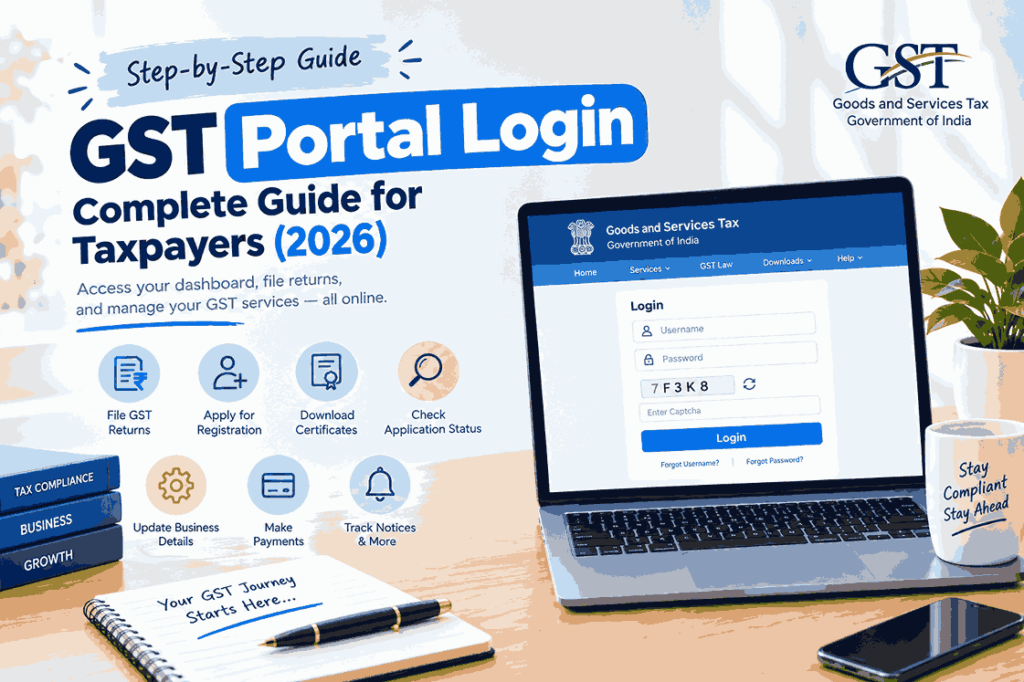
Step 1: Visit the Official GST Portal
Visit the official GST Portal through your web browser.
Step 2: Click on “Login”
On the homepage, click the Login option located in the upper-right corner.
Step 3: Enter Your Username
Type the username you created during GST registration.
Step 4: Enter Your Password
Provide your account password.
Step 5: Complete the CAPTCHA
The code for the CAPTCHA must be typed exactly as it appears on the screen.
Step 6: Click Login
Click the Login button to continue.
In some situations, the portal may require an additional OTP-based authentication step, particularly when logging in from a new device or under certain security conditions.
First-Time GST Portal Login
If you have recently received your GST Identification Number (GSTIN), your first login is slightly different.
Generally, the process includes:
- Using the GSTIN (or Provisional ID, where applicable) and the password provided during registration.
- Creating a new username and password.
- Logging in with the newly created credentials.
- Completing any required post-registration actions.
After the first login, the new username and password become your regular login credentials.
Information Required for GST Portal Login
To access your account, you generally need:
- Username
- Password
- CAPTCHA
- OTP (when required)
To safeguard your account, keep these information private.
Features Available After GST Portal Login
After successfully logging in, you can access several GST services.
1. File GST Returns
Registered taxpayers can file applicable GST returns through their dashboard.
2. View GST Dashboard
The dashboard provides an overview of:
- Pending actions
- Notices
- Return filing status
- Registration details
- Payment information
3. Download GST Registration Certificate
Businesses can download their GST Registration Certificate whenever required.
4. Update Registration Details
You can update eligible registration information such as:
- Business address
- Authorized signatory
- Contact details
- Additional places of business
Subject to applicable GST rules.
5. Make GST Payments
The portal allows taxpayers to generate challans and make GST payments using approved payment methods.
6. Track Applications
Users can monitor the status of:
- Registration applications
- Amendment requests
- Cancellation applications
- Other GST-related requests
7. Respond to Notices
If the GST department issues a notice, eligible responses can be submitted through the portal.
Forgot GST Portal Username?
If you’ve forgotten your username, don’t worry.
The GST Portal provides a Forgot Username option.
Generally, the process involves:
- Selecting Forgot Username
- Entering your GSTIN or Provisional ID
- Completing CAPTCHA verification
- Receiving an OTP
- Retrieving your username through your registered contact details
After successful verification, your username will be sent to your registered email address.
Forgot GST Portal Password?
If you forget your password, you can reset it through the online recovery process.
The process generally includes:
- Clicking Forgot Password
- Entering your username
- Completing CAPTCHA verification
- Verifying with OTP
- Creating a new password
Passwords should follow the GST Portal’s security requirements, including length and character complexity.
Common GST Portal Login Problems
Sometimes users encounter login issues.
Incorrect Username
Always verify the username carefully.
Wrong Password
Passwords are case-sensitive.
Incorrect CAPTCHA
If the CAPTCHA is unclear or difficult to read, refresh it to generate a new one.
OTP Not Received
Possible reasons include:
- Network delays
- Mobile connectivity issues
- Email delivery delays
Please wait a short while before requesting a new OTP.
Browser Issues
Sometimes login problems can be resolved by:
- Clearing browser cache
- Updating the browser
- Trying another supported browser
GST Portal Security Features
The GST Portal includes several security measures.
These include:
- CAPTCHA verification
- OTP authentication
- Password protection
- Trusted device verification
- Session security
Additional authentication may be required when logging in from a new device or under unusual circumstances.
Tips for Safe GST Portal Login
Follow these best practices.
- Keep your username confidential.
- Never share your password.
- Do not disclose OTPs to anyone.
- Use a strong password.
- Change your password periodically.
- Log out after completing your work.
- Avoid using public computers whenever possible.
Good security practices help protect your GST account.
Benefits of Using the GST Portal
Using the GST Portal offers several advantages.
Benefits for Businesses
- Online GST compliance
- Faster return filing
- Digital record management
- Easy certificate downloads
- Centralized access to GST services
Benefits for Accountants
- Efficient return management
- Easy client record access
- Faster document retrieval
- Better compliance monitoring
Benefits for Tax Consultants
- Simplified client management
- Online filing
- Secure access
- Centralized dashboard
Best Practices for GST Portal Users
To improve your experience:
- Keep your contact details updated.
- Check your dashboard regularly.
- Download important acknowledgements.
- File returns before due dates.
- Maintain accurate business records.
- Use only the official GST Portal.
Frequently Asked Questions (FAQs)
What is GST Portal Login?
To use online GST services, registered taxpayers must use the secure GST Portal Login process to access their GST account.
Can I access the GST Portal without logging in?
Yes. Some public services, such as taxpayer search and general information, are available without logging in. However, taxpayer-specific services require login.
If I forget my GST Portal password, what should I do?
Use the Forgot Password option on the login page, verify your identity through OTP, and create a new password.
How do I retrieve my GST Portal username?
Use the Forgot Username feature, enter your GSTIN or Provisional ID, complete OTP verification, and retrieve your username through your registered email.
Is OTP required every time I log in?
Not always. OTP authentication is generally required during the first login, when using a new device, or in certain security-related situations.
Is GST Portal Login free?
Yes. Accessing and using the official GST Portal is free. However, if you hire a professional to manage your GST compliance, they may charge service fees.
Conclusion
The GST Portal Login is the gateway to managing all major GST-related activities online. From filing returns and updating registration details to downloading certificates and responding to notices, the portal provides a secure and efficient platform for registered taxpayers.
Understanding the login process, knowing how to recover your username or password, and following good security practices can help you use the portal confidently and avoid common login issues. Whether you are a new business owner or an experienced taxpayer, becoming familiar with the GST Portal is an important part of staying compliant with GST regulations.
Always access the portal through the official government website, keep your login credentials secure, and review your dashboard regularly to stay informed about important updates, filings, and notices. This article is original, plagiarism-free, professionally written for SEO, and follows a neutral educational tone suitable for publication on your website.